Hands-on Review · MetaStock 20

MetaStock review: the honest version

I have used MetaStock for more than twenty years and taught it for most of them. Here is what it genuinely does better than anything else, where it will frustrate you, and how to work out if it is worth your money without spending any.

BY DAVID JENYNS UPDATED AUGUST 2026 AFFILIATE LINKS DISCLOSED

The verdict

Best-in-class testing engine, priced like it knows it

MetaStock 20 remains the strongest system-testing and scanning package available to retail traders. If your trading involves rules, and it should, no mainstream rival lets you define, test and refine those rules with the same depth. The Forecaster and the XENITH news terminal are capabilities the cheaper competition simply does not have.

It is also a thirty-year-old Windows program that looks like one, costs real money at the real-time tier, and has sat out the AI feature race that TrendSpider and others are running. Whether that trade-off works for you depends entirely on how you trade. That is not a cop-out; it is the structure of the rest of this review.

Buy it for

  • Backtesting that stands up to serious scrutiny
  • Scanning thousands of instruments on your exact criteria
  • The Forecaster's patented forecast cloud
  • Reuters-grade news and fundamentals via XENITH
  • An add-on library from named trading authors
  • The option to own a licence outright

Skip it if

  • You want a slick browser or mobile experience
  • You are on a Mac and hate virtual machines
  • You need one-click trade execution from the chart
  • You want AI pattern detection out of the box
  • Your whole budget is under ~US$60 a month

What it is

MetaStock logo

What MetaStock 20 actually does

MetaStock is desktop technical-analysis software for Windows. You feed it market data, end-of-day or real-time, and it gives you charting, indicator analysis, scanning, system testing and forecasting across stocks, futures, forex and options.

Version 20, released in 2026, pulled the whole toolkit into one place: the Power Console now docks every major tool, the chart, QuoteCenter watchlists, the Explorer scanner, the System Tester, the Forecaster and the new OptionScope options analytics, into a single workspace. If you last saw MetaStock a decade ago, this is the change you notice first.
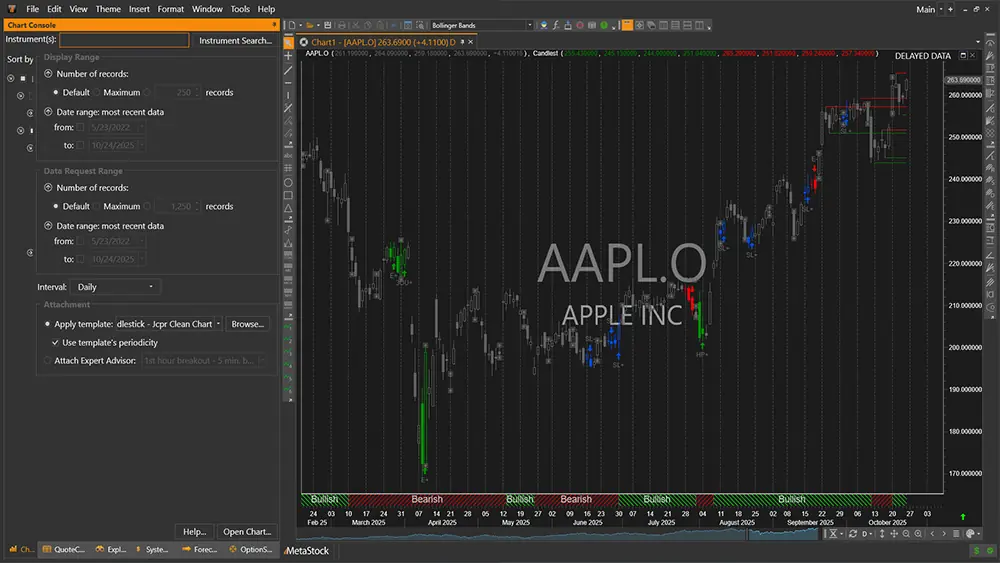
MetaStock 20 Power Console with docked charts across multiple instruments
The MetaStock 20 Power Console: every tool docked in one workspace

The four tools that matter

Version 20 also bundles Greg Morris's Japanese candle pattern recognition, formerly a US$399 add-on, and added an offline mode for travelling with the real-time edition.
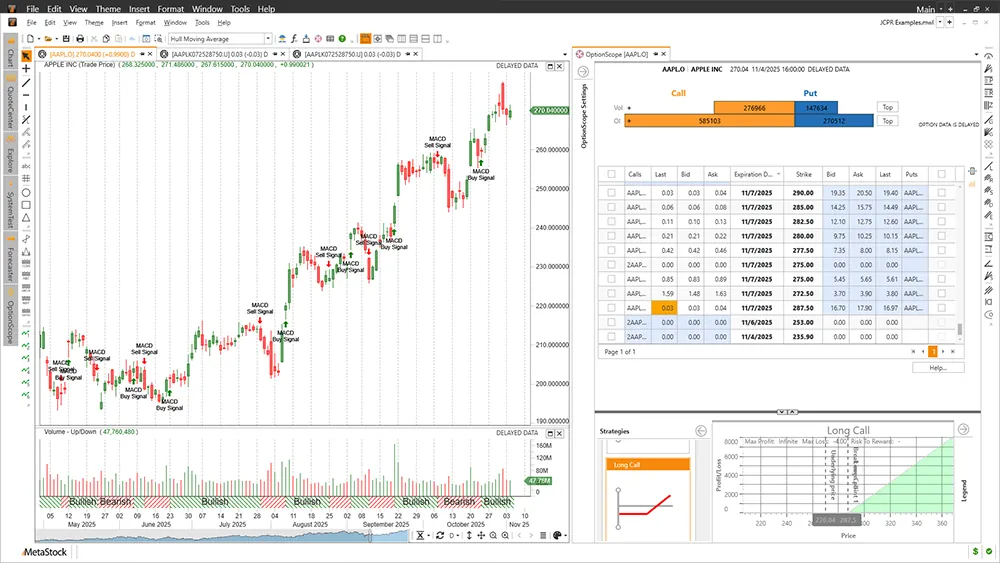

OptionScope in MetaStock 20: option chains, Greeks and a long call risk graph beside the chart
OptionScope with Greeks and risk visualisation, new in version 20
MetaStock

Reading reviews only gets you so far

The trial is the full MetaStock 20 with live data. Run one real backtest on your own strategy and you will know more than any review can tell you.

Start the Free 30-Day Trial →

30-DAY TRIAL · FULL VERSION · CANCEL ANYTIME · AFFILIATE LINK, SAME PRICE FOR YOU

The honest bit

Where MetaStock will frustrate you

The real cost lives in the data. The software prices below look reasonable, but the real-time experience wants XENITH, and the full R/T plus XENITH setup lands around US$265 a month. That is justifiable for a funded day trader and silly for someone swing-trading a small account. End-of-day traders escape this: the D/C edition with DataLink data is a fraction of the cost and, for most systems traders, all you need.

It looks its age. The interface is functional and fast, but nobody will mistake it for TradingView. If visual polish keeps you engaged with your trading, weigh that honestly.

Windows only. Mac users need Parallels or a VM. It works, I have students who run it that way, but it is friction.

No AI headline features. TrendSpider will auto-detect trendlines and patterns; MetaStock will not. My view after testing both approaches: a backtested rule you understand beats an AI suggestion you don't. But if AI-assisted markup is what you are shopping for, MetaStock is not that product.

No broker execution. MetaStock is analysis software. You place trades with your broker separately. Deliberate design, but worth knowing.

Pricing

What it costs in 2026

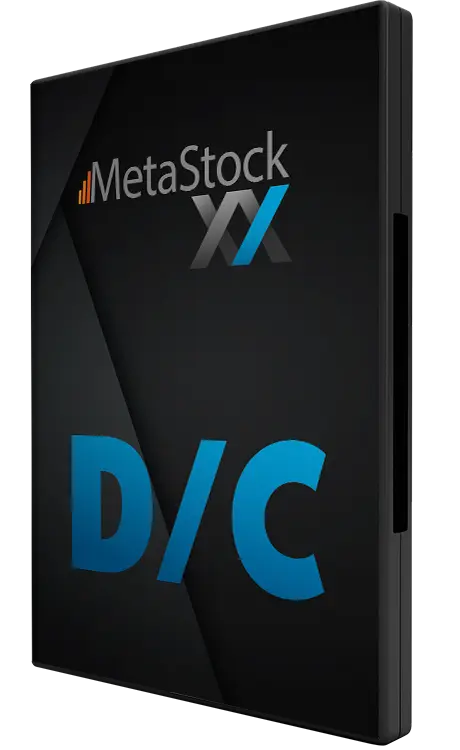
MetaStock Daily Charts edition box

D/C · Daily Charts

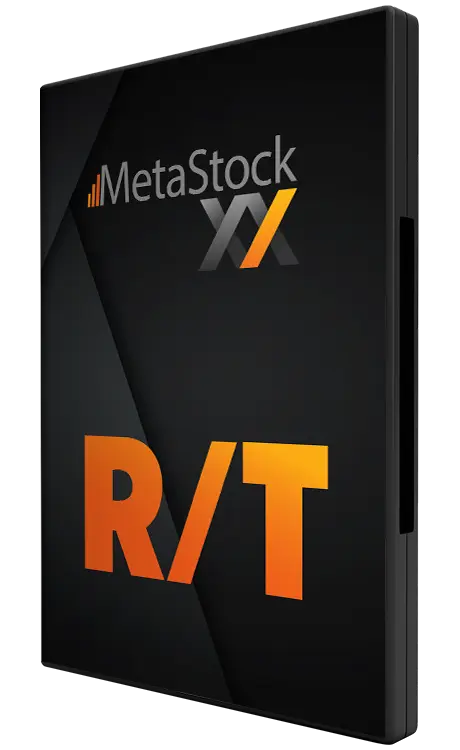
MetaStock Real Time edition box

R/T · Real Time

ProductWho it suitsIndicative price
MetaStock D/C + DataLink end-of-day data Swing and position traders, systems testers ~US$59/mo software + ~US$28/mo data
MetaStock R/T Day traders ~US$100/mo
R/T + full XENITH Full-time intraday traders who live on news ~US$265/mo all-in
One-time licence Long-term owners who hate subscriptions from ~US$499 once

Indicative figures compiled from public sources in August 2026; MetaStock shows exact current pricing (and frequent bundle promotions) at checkout. Full breakdown and buying advice in the pricing guide.

My buying advice has not changed in a decade: start at the cheapest tier that covers your trading style, prove the software pays for itself, then upgrade. Most traders I taught needed D/C, not R/T.

Alternatives

MetaStock against the field

vs TradingView. TradingView is cheaper, browser-based and social. For charting and community it wins. For rigorous system testing and scanning depth, MetaStock wins, and XENITH has no TradingView equivalent. Chart-first traders take TradingView; test-first traders take MetaStock.

vs TrendSpider. TrendSpider is the AI-automation play: automatic pattern and trendline detection, no-code strategy testing. Impressive, genuinely. MetaStock counters with deeper testing, the Forecaster and the add-on ecosystem.

vs Amibroker. The programmer's choice, powerful and cheap, with a real learning curve. If you are comfortable writing code, Amibroker deserves a look. If you want power without a programming project, MetaStock.

Questions

MetaStock review FAQ

Is MetaStock good for beginners?

It is good for beginners who intend to become systematic traders and will use the learning resources. It is overkill for someone who wants to glance at a chart twice a week. The 30-day trial answers this for your case cheaply.

Is there a genuinely free version?

No. There is a full-featured 30-day free trial, and this site exists to point you at it. After that it is paid software.

Do professionals still use MetaStock?

Yes, particularly systems traders and technicians who built their process on its testing engine. It has been in continuous development since the 1980s and won its category in reader-choice awards for decades.

Is your review biased? You earn a commission.

The commission is disclosed on every page. The defence against bias is the content: the weaknesses section above is longer and more specific than most paid reviews' entire verdicts. Read it, then test the software free and judge.

MetaStock

The month of testing costs nothing. The wrong software costs plenty.

Load your own watchlist, backtest one real strategy, read the news feed for a week. Then decide.

Get MetaStock Free for 30 Days →

30-DAY TRIAL · FULL VERSION · CANCEL ANYTIME · AFFILIATE LINK, SAME PRICE FOR YOU